

Cycling training indoors used to mean a boring, monotonous activity that required huge internal discipline and a deep addiction to personal goals. Nowadays the world is “smart” — why shouldn’t indoor cycling be as well? Here is the R200 smart trainer from the Chinese brand Cycplus, which offers entry into the gamified era of indoor cycling at an accessible price point. Whether you prefer arcade or simulation style, the Cycplus R200 can be your training partner during the long winter and rainy days.
Eight years ago I had hand surgery. I realised I had no other chance to do some sport than indoor cycling training. I bought an used roller trainer. It was a mistake, because I hated training on it and didn’t use it many times.
Years passed, and during winter I often saw Strava users training with Zwift or Rouvy, which made me curious. Soon I started looking for gear that could give me an entry point into this world. The base model of a French sports giant was one of the first options I checked, but its 600W capability and maximum 6% hill simulation did not look very attractive. A system focused mainly on Zwift also didn’t seem ideal, since other platforms like Rouvy and MyWhoosh are available — so why make a decision before trying them?
From Spec Sheet to First Setup
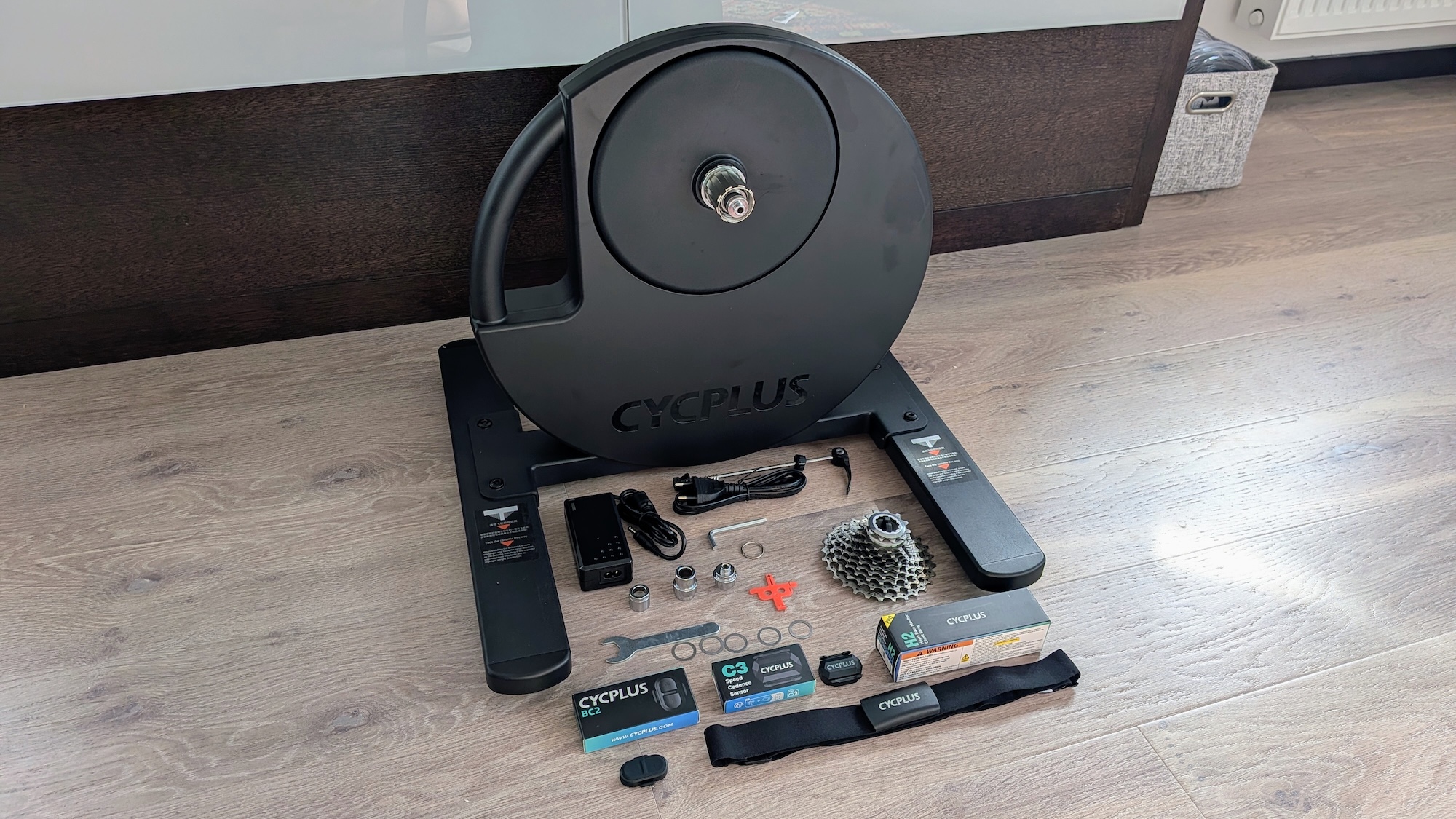
Despite being the cheapest model from Cycplus, the R200 offers strong specifications. Maximum power reaches 2200W and gradient simulation goes up to +19%. This is more than enough for someone who is entering the world of virtual indoor training for the first time.
The trainer arrived in a box containing the main unit, two base legs, screws, adapter kits for 130/135mm quick release and 142/148mm thru-axle configurations, spacer rings, a power supply and basic tools. The main unit connects to the base legs with four Allen-key bolts, resulting in a solid and stable setup.
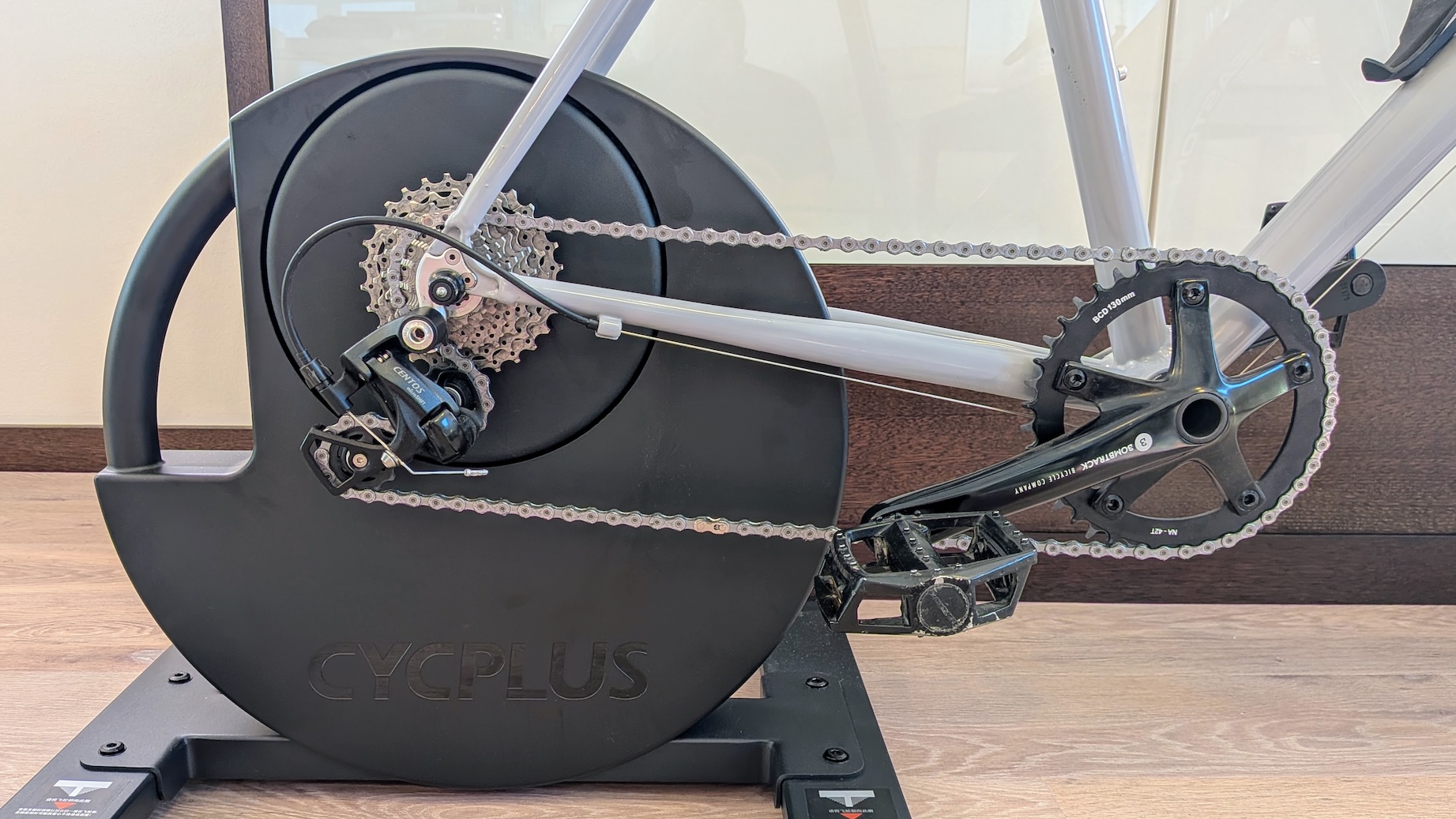
The freehub body is Shimano HG compatible, and a spacer ring for 10-speed or lower cassettes is also included. The trainer is prepared for thru-axle setup, but I switched to the QR configuration because I wanted to use it with my bike built for city and indoor applications. After that, I mounted a cassette onto the freehub body and paired the trainer with the bike.
Accessories you need
Measuring power has become common in cycling nowadays, and smart trainers are based primarily on power and speed measurement. However, a complete system also includes heart rate and cadence data. If you want to measure HR and cadence, you need sensors that are compatible with Bluetooth technology, not only ANT+ like my older ones.
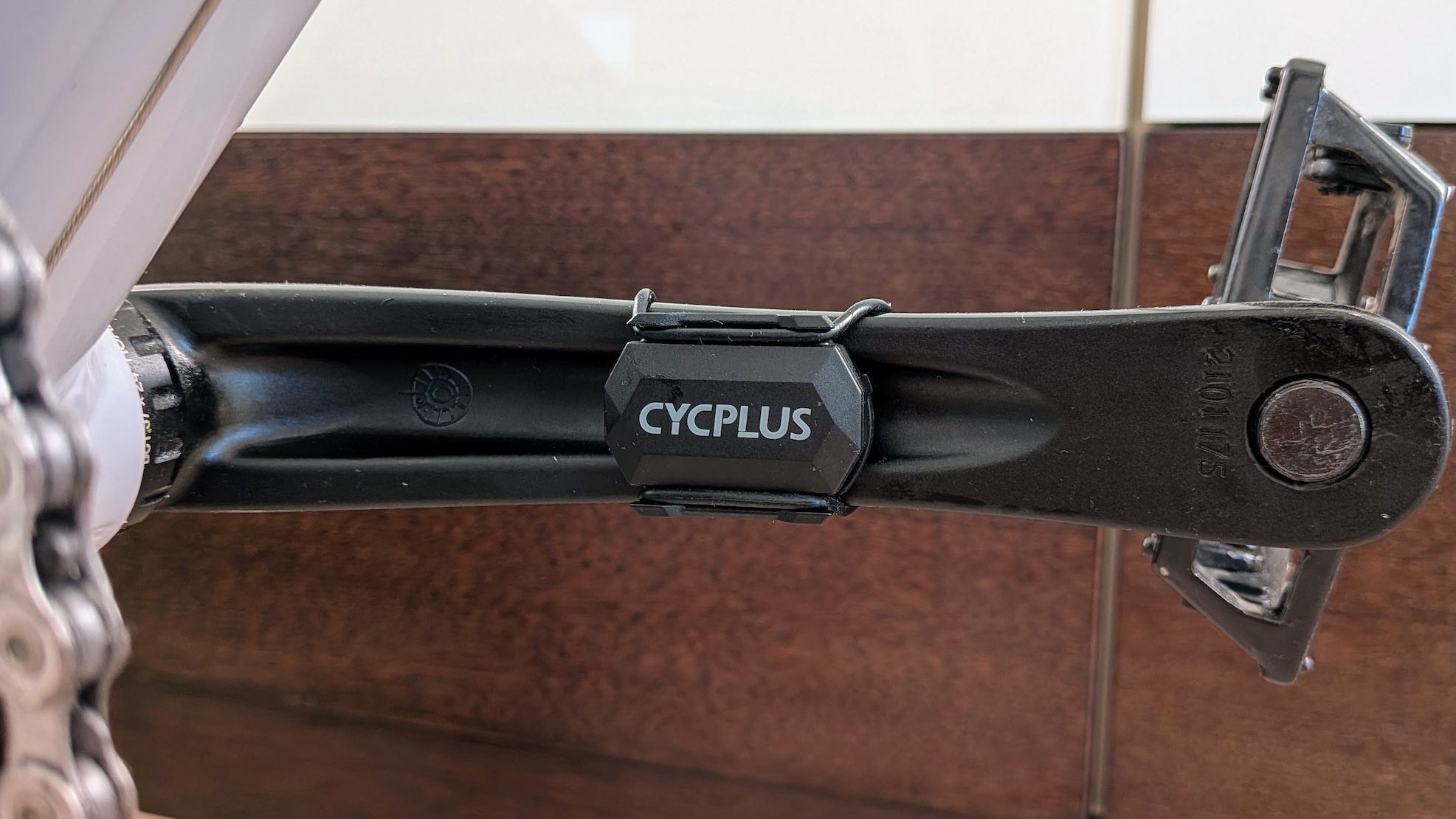
For my R200 setup, I chose the C3 speed/cadence sensor and the H2 heart rate sensor from Cycplus. The C3 arrived with different rubber rings and both flat and rounded rubber pads for mounting on the backside of the crank arm or on the hub. With the battery cover, you can choose between speed and cadence mode.
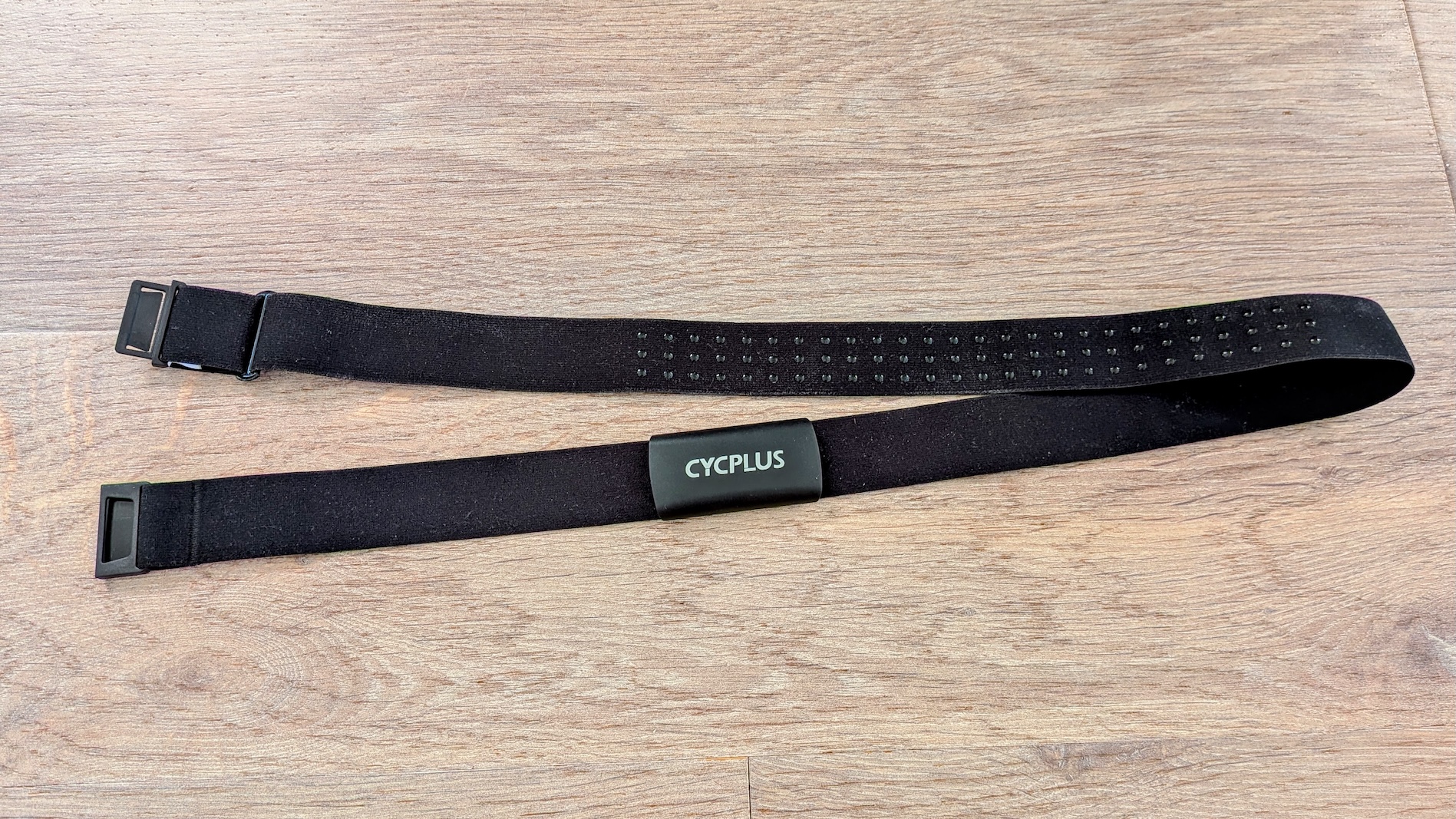
The H2 heart rate sensor arrived with a chest strap of impressive quality. The inner side of the strap has rubber grip elements that help keep it in place during exercise, and the buckle is also well made. Before using both sensors, don’t forget to remove the small plastic tab under the battery — otherwise you may wonder why your computer cannot detect them.
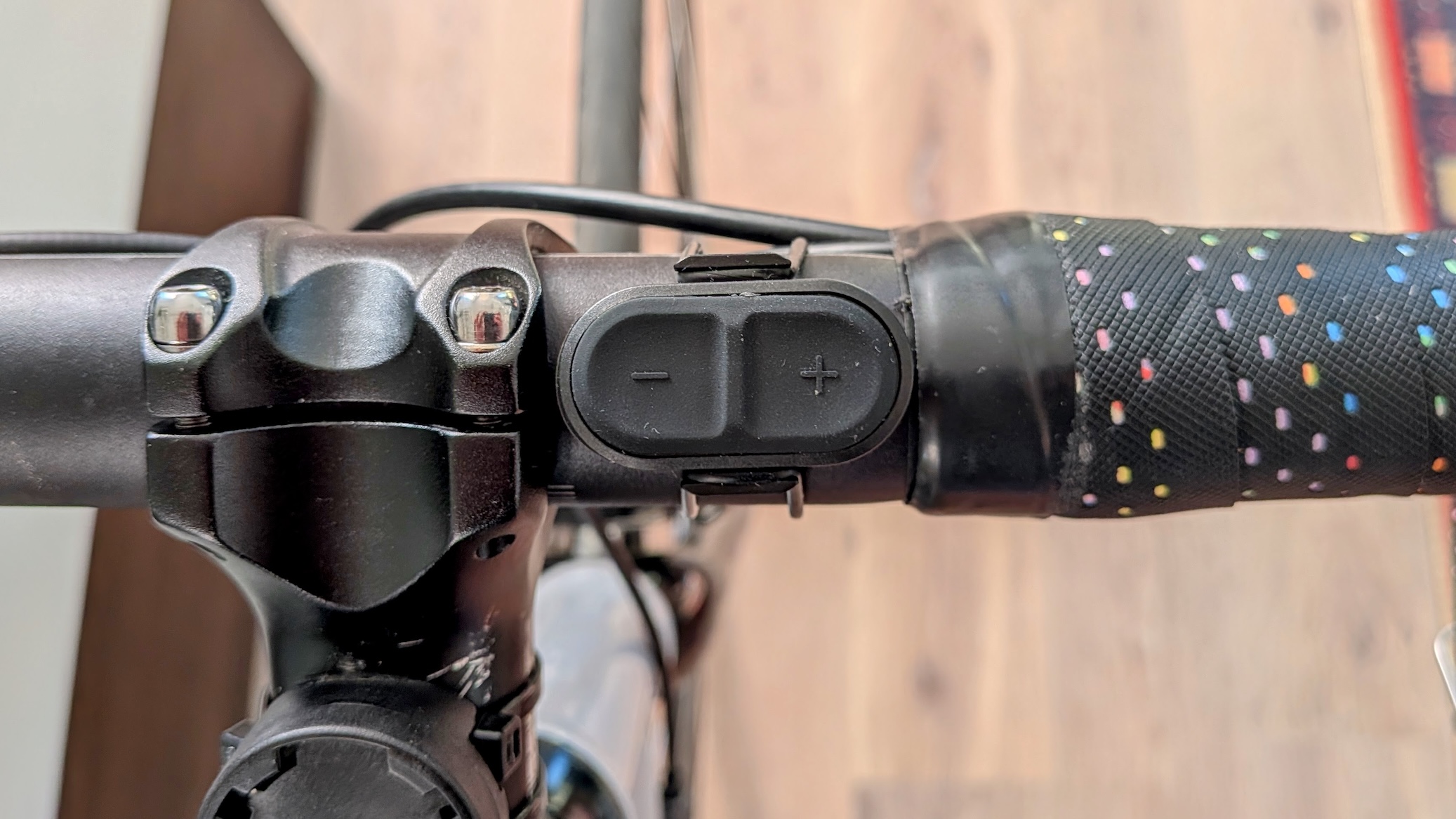
I also received the BC2 virtual shifter with my test trainer. It is a small two-button switch that can be attached to the handlebar and used for virtual shifting. The BC2 virtual shifter is platform-dependent. I can pair it with the trainer in the Cycplus app, but I cannot use it with Zwift, which has its own virtual shifting ecosystem.
Build Quality and Frame Considerations
I’m satisfied with the build quality. The base legs are simple but strong and hold the bike stable, despite the fact that I’m not a light guy and I’m using a bike with quick release instead of a modern thru-axle setup.
Why do I use this bike instead of my current carbon one? In my opinion, indoor trainers hold the bike like a vise. Forces during pedaling create a different type of stress on the rear triangle that does not exist in real-world cycling. During use I can feel a slight twist in the bike, but in this case it is not important.
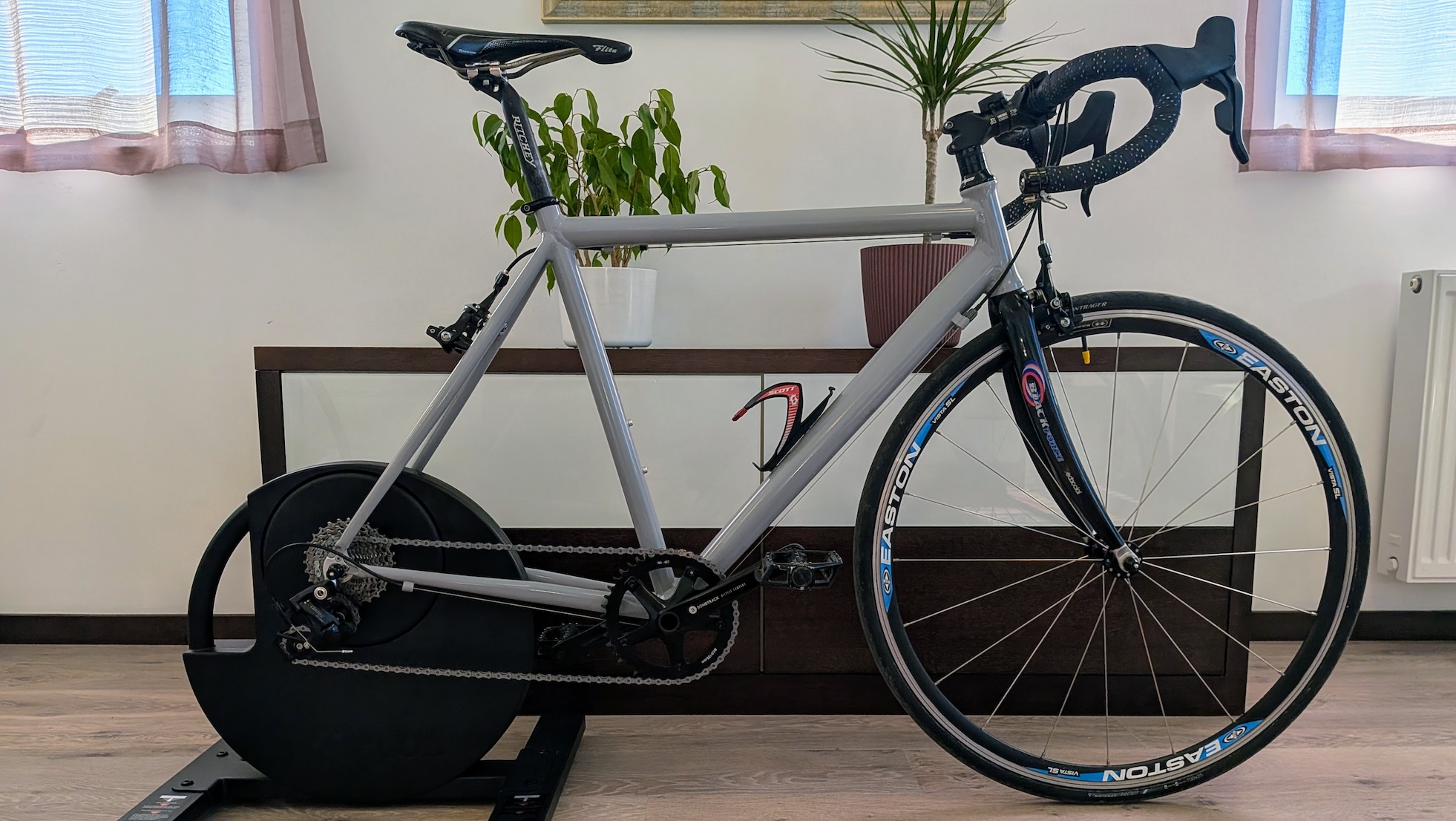
The only question for me was how a 1×10 setup with a 42×11–28 drivetrain ratio would work with a smart trainer — but I will come back to this later.
Training and Setting Up the Trainer with the Cycplus App
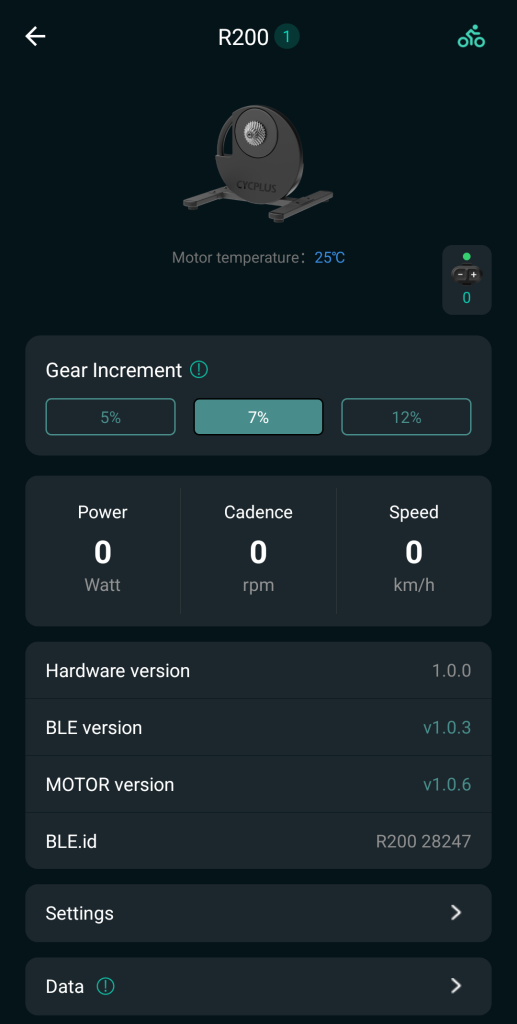
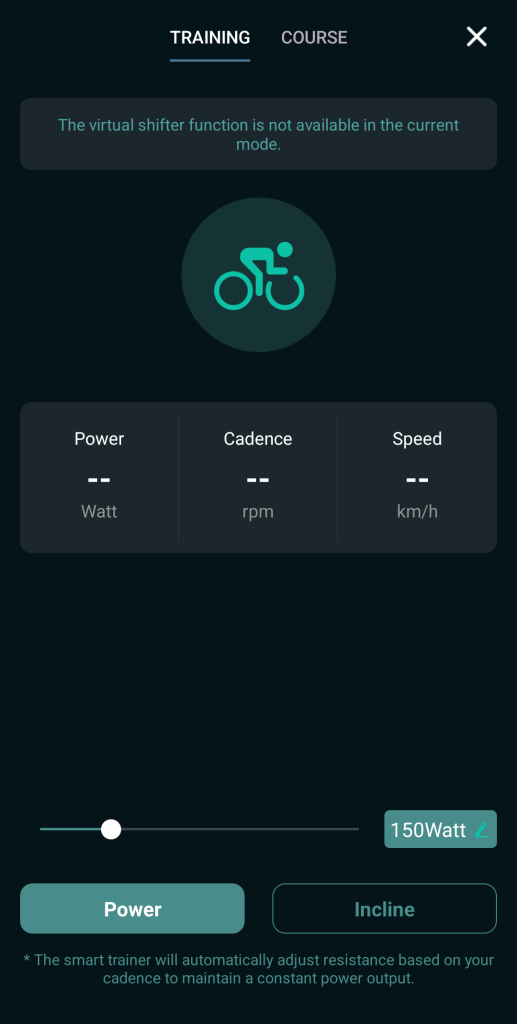
You can use the R200 without any subscription through the Cycplus app, which you can install on your Android or Apple smartphone. This approach sits somewhere between traditional non-smart roller trainers and the fully gamified training platforms.
In the app you can manually set the power level you want to maintain, or choose a training program based on your FTP value. You can also create your own training programs where you define how many watts — or what percentage of your FTP — you want to perform during each part of the workout.
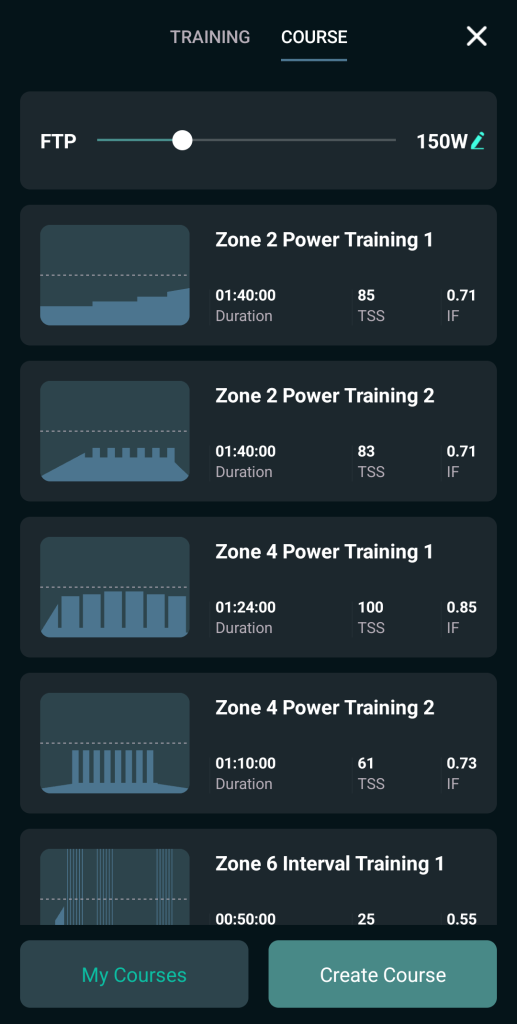
Functional Threshold Power (FTP) is the maximum power output a cyclist can maintain for roughly one hour without fatiguing. It serves as a key reference point for training intensity and performance assessment. Most indoor training platforms use FTP to define training zones and personalise workouts.
The Cycplus app is also used to update the firmware of the smart trainer. You can set your own weight, the weight of your bicycle, and adjust drivetrain efficiency. It is also possible to adjust uphill and downhill coefficients. This describe how strongly the virtual physics model applies the effect of gradients. The uphill coefficient determines how much a climb slows the rider, while the downhill coefficient defines how much speed is gained on descents.
Training with Zwift
My curiosity about smart trainers started when I saw other riders training with Zwift. It is a somewhat fairytale-like, arcade-style smart training platform that you can install on many devices — I use it on my MacBook Air.
After installing Zwift, you can pair the R200 with the app as a power source and resistance controller. You can also connect your Bluetooth cadence and heart rate sensors, like the Cycplus C3 and H2, for a complete training setup. If you use Zwift, gradient simulation and resistance are calculated by the platform itself based on your rider profile, so most settings configured in the Cycplus app have no real influence during the ride.
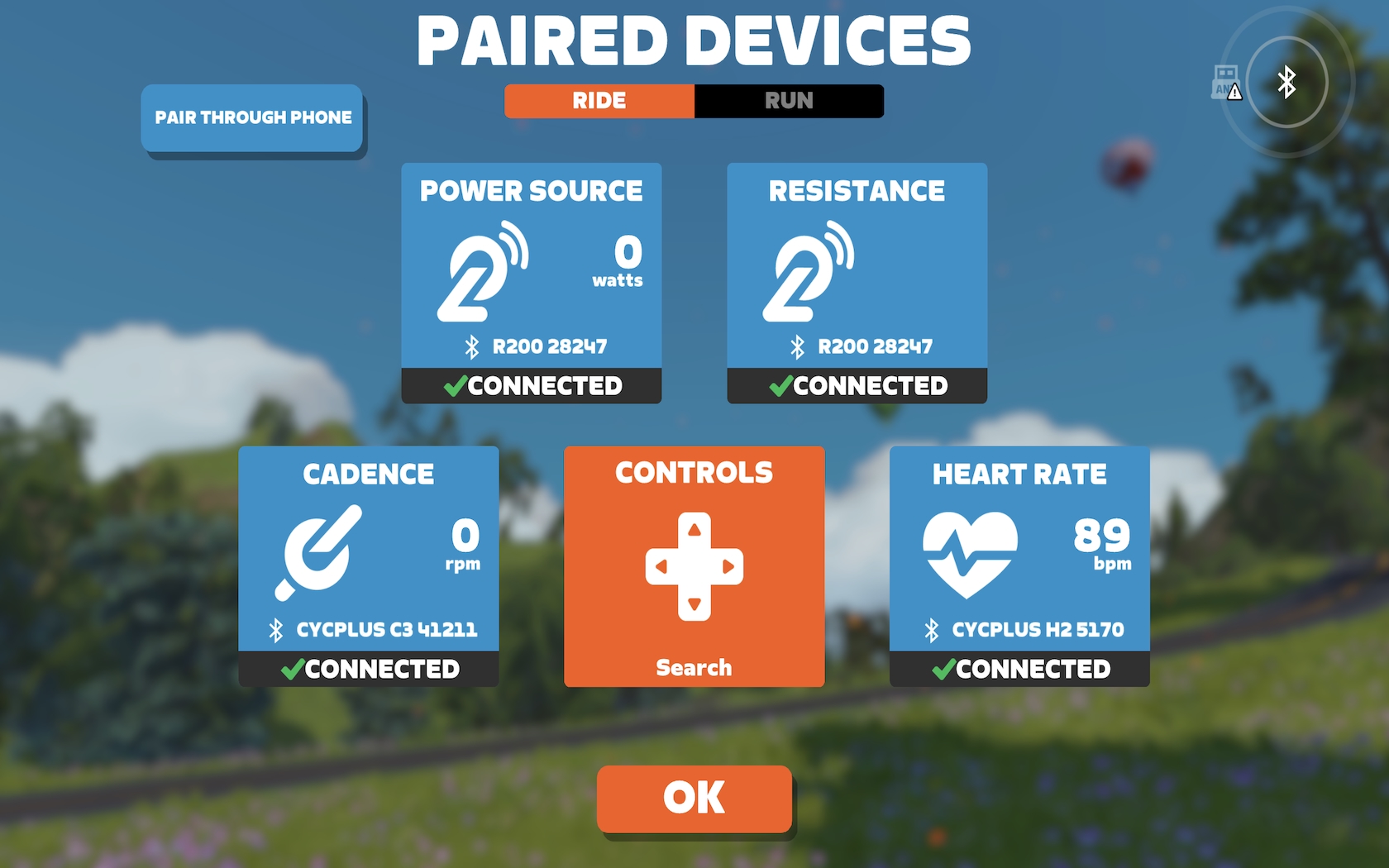
After that you can choose between different types of workouts. Zwift also offers structured workout programs similar to the Cycplus app, but for me realistic riding makes more sense, so I virtually travelled to Watopia.
Virtual training is not like training outdoors, where you feel the wind and can occasionally roll without pedaling. Indoor riding is more intensive, because you have to keep pedaling during almost the entire workout, with very little rest. But this is not a problem — it actually makes indoor training very time-efficient.
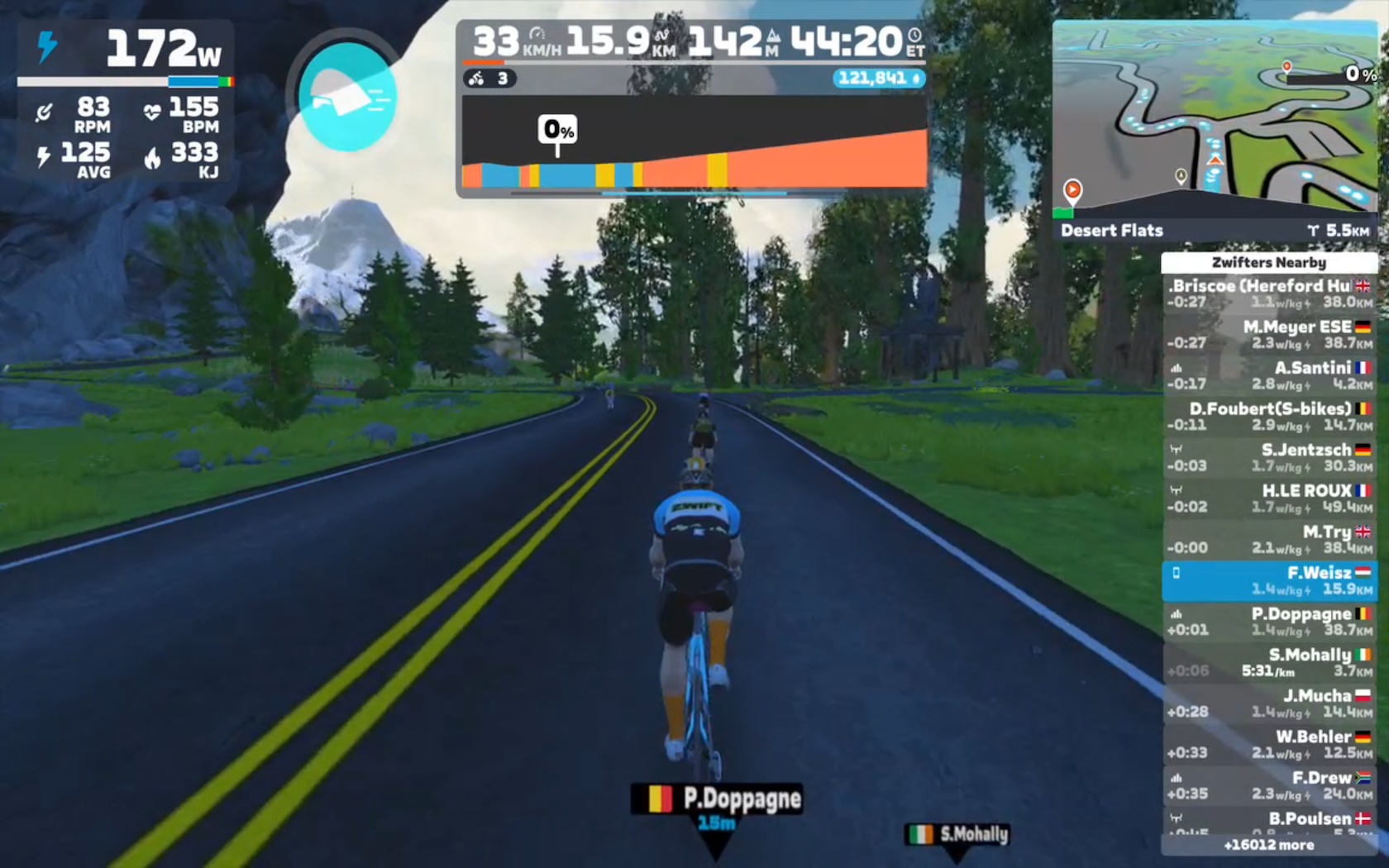
It was surprising how uphill and downhill sections behaved. In real life I usually have to shift a lot when transitioning from +5–8% climbs to -5–8% descents, often using both chainrings. In Zwift I needed far fewer shifts and didn’t have to use the full range of my relatively narrow 11–28 cassette.
The virtual speed on climbs can feel surprisingly low compared to real riding, but this mainly reflects the physics model used by indoor platforms rather than the trainer itself.
Riding Experience
The Cycplus R200 has active fan cooling, but this is not disturbing during training. I also didn’t feel any vibration that could cause problems for neighbours. Even during harder efforts the trainer remained stable, and the base legs kept the bike firmly in position.
The trainer uses standard Bluetooth FTMS communication, which allows it to work with most major indoor training platforms. The connection remained stable during the test, and the measurements felt consistent. Changes in resistance are smooth, which gives a realistic feel to the training. When I stop pedaling, the bike also stops very quickly, which is a noticeable difference compared to real-world riding.
Verdict
I’m totally satisfied with the Cycplus R200. I’m not a pro or an extremely performance-oriented amateur cyclist who needs to train at a high level regardless of season or weather. My goal is simply to do some cycling training during the winter or during long, rainy and sometimes windy weeks.
And yes, smart trainers can never replace outdoor training, but they make it possible to train at home with some fun. For my goals, the Cycplus R200 is perfect because it is stable and functions well.
I have no direct comparison, but I couldn’t find anything that caused trouble during my training — it does exactly what it is designed to do. For riders who want to enter the world of smart indoor training without spending too much on a trainer, the R200 can be a very reasonable option.

